A warehouse TV dashboard for live staffing and task control
This internal warehouse platform helps fulfilment supervisors see who is available, place employees into departments, assign work and review activity without maintaining separate staffing sheets and task logs.
In short
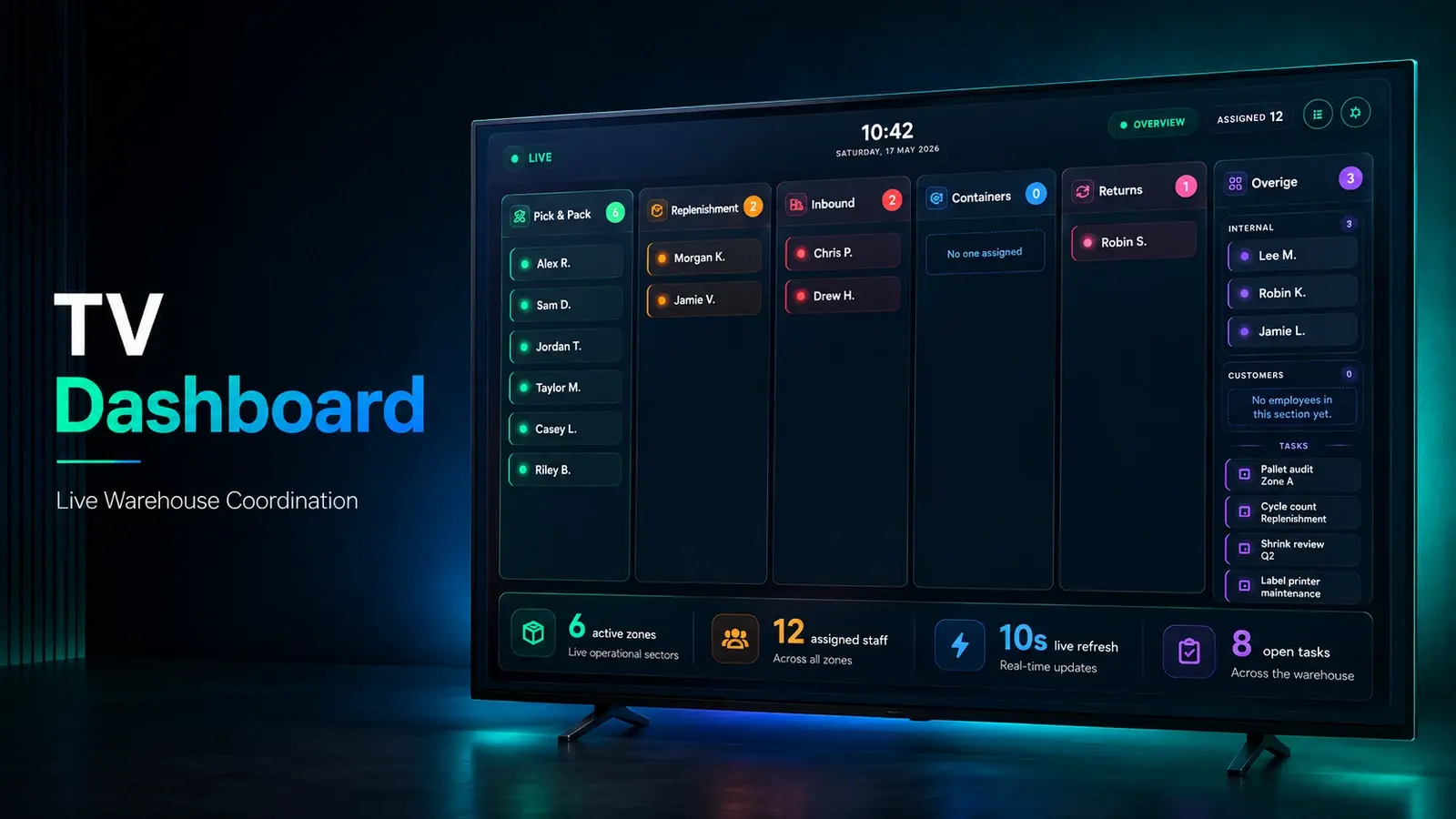
This warehouse operations dashboard is a real-time internal tool for fulfilment supervisors. It shows who is present, places employees into departments, assigns tasks with timers and attachments, and records activity history. Updates appear on admin screens and warehouse TV views without manual refreshes, and CSV or Excel exports let the same records support live operations, management review and reporting.
- Users
- Fulfilment supervisors
- Displays
- Admin screens and warehouse TV views
- Exports
- CSV and Excel
- Core stack
- Next.js, Firebase, WebSockets
01 / The problem
Why the warehouse TV dashboard was needed
Warehouse staffing changes throughout the day. Supervisors need to know who is present, which department needs help, what work is active and whether a task has been waiting too long.
Static reports cannot answer those questions during a shift. The team needed a live view for managers and warehouse displays, plus enough history to review completed work later.
02 / The build
How I approached the build
I built a Next.js and Firebase operations dashboard with live staffing views, department assignments, task timers, attachments and employee activity history. Changes appear across admin screens and warehouse TV views without requiring manual refreshes.
The system also supports business-hour-aware tracking and CSV or Excel exports, so live operations and later reporting use the same underlying records.
03 / Capabilities
What the warehouse TV dashboard does
Live attendance
Supervisors can see present, absent, break and review states during the shift.
Department staffing
Employees can be assigned where capacity is needed and moved as priorities change.
Task timers
Active work keeps a visible duration and ownership record.
Warehouse TV views
Operational information is available on shared screens for floor visibility.
Activity history
Managers can review past assignments, corrections and completed work.
Operational exports
CSV and Excel outputs support reporting outside the live dashboard.
04 / Workflow
How it works, step by step
- 01
Record attendance
The system establishes who is present and available for work.
- 02
Allocate staff
Supervisors place employees into departments based on current demand.
- 03
Track active tasks
Assignments, timers and attachments remain visible while work is in progress.
- 04
Review and export
History and reports support daily review and longer-term analysis.
05 / Product screens
Product screens
Select a screen to inspect the interface, workflow and operational details more closely.
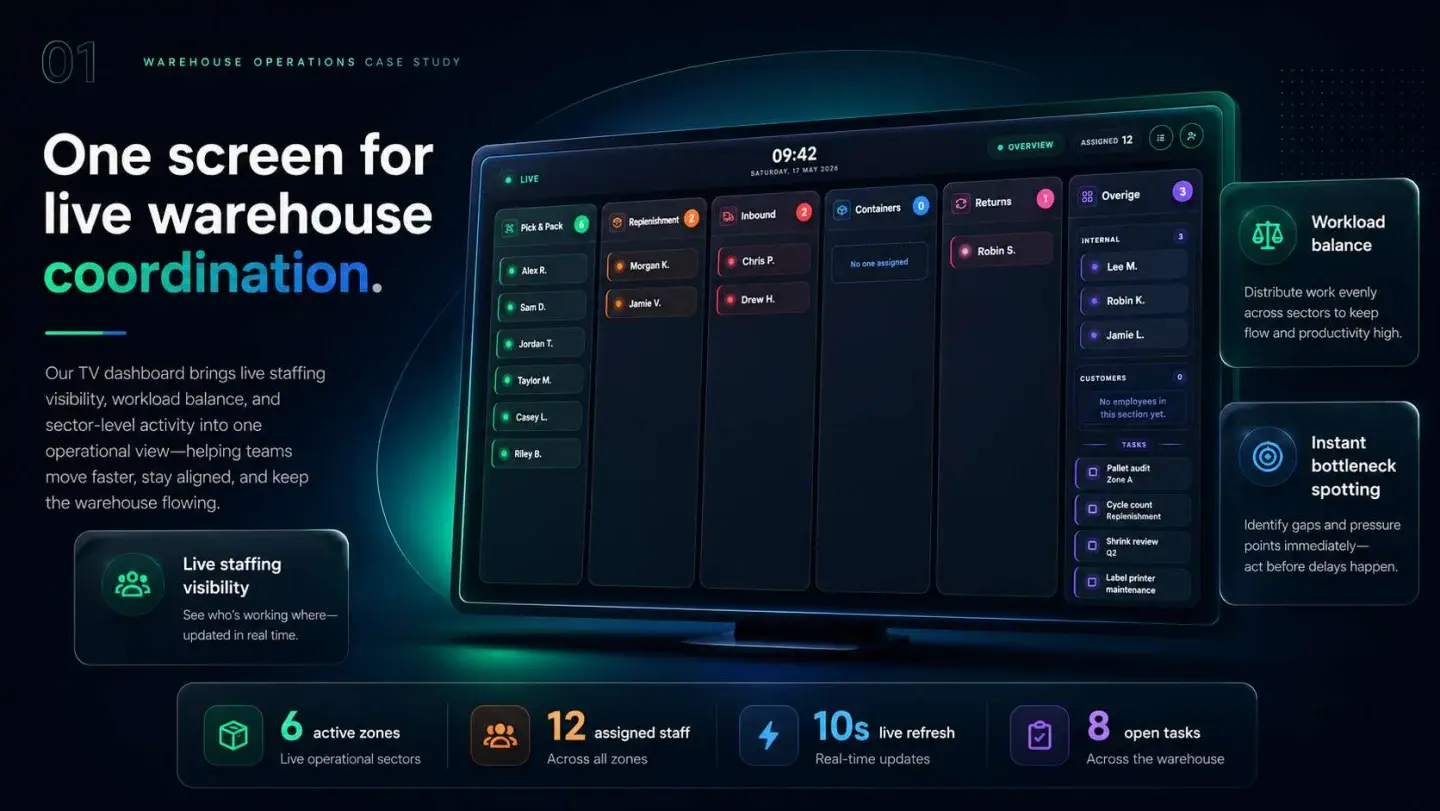
Warehouse TV Dashboard — presentation, page 1
06 / What changed
The practical result
- Supervisors get a shared live view of staffing and current warehouse work.
- Task history no longer depends on separate notes maintained outside the operations system.
- The same records support warehouse displays, management review and exported reports.
Common questions
Questions about building a similar warehouse TV dashboard
Useful dashboards usually cover attendance, department capacity, active tasks, ownership, elapsed time, exceptions and recent history.
Work with me
Need a warehouse dashboard developer?
I build internal warehouse tools that connect live staffing, task execution and reporting without making floor workflows harder.
Discuss your projectKeep exploring
Related case studies
Shift Board | Carrier Cutoff & SLA Planning
A live 3PL cutoff planning board: pick backlog vs carrier cutoffs, picker deficit advice, order forecasts and per-carrier SLA emails sent exactly once.
Read the warehouse cutoff planning board case studyEnterpriseSorter Monitor | Parcel Sorter Lane Accuracy
A webhook service that checks every parcel sorter scan against carrier barcode rules, catches mis-sorts and emails hourly lane accuracy reports.
Read the parcel sorter accuracy monitor case studyEnterpriseSupport Space
Support Space is a 3PL operations platform with connected workspaces for seller accounts, support, carrier investigations, credits and warehouse staff.
Read the 3PL operations platform case study